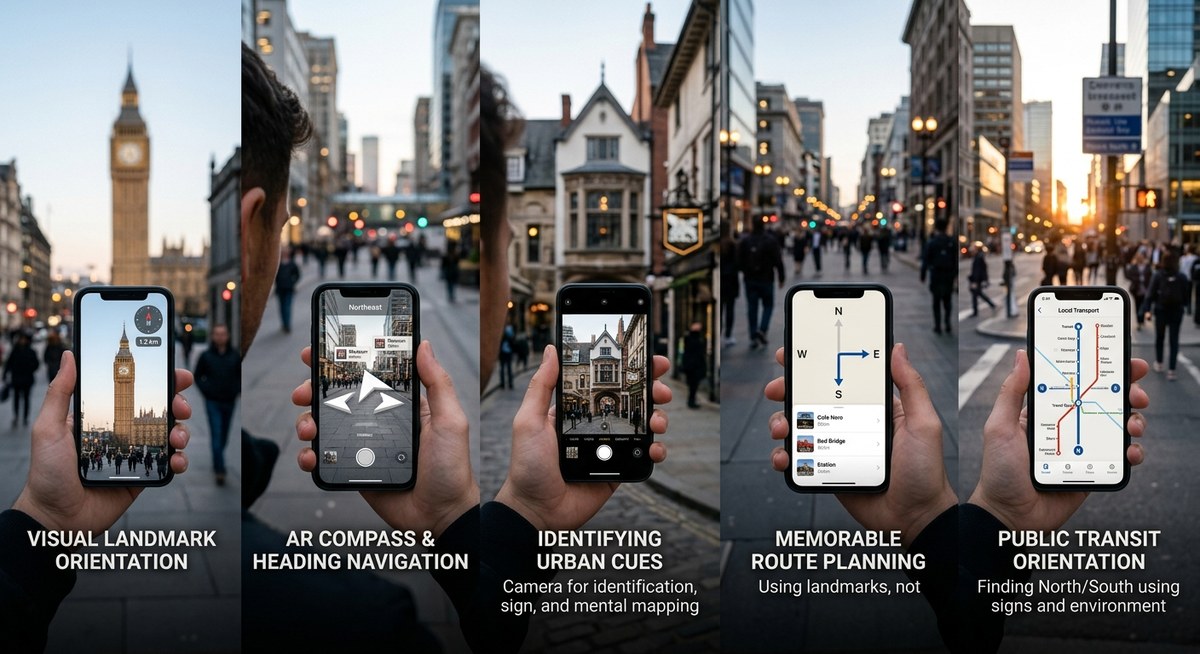
Your phone buzzes with a notification. Your battery is at 15%. You are in a part of the city you do not recognize. The knee-jerk reaction is to open Google Maps and watch the blue dot spin. But what if the map fails to load? What if you want to travel light, save battery, or simply feel more connected to your surroundings? For most of us, the idea of navigating without a digital map feels almost impossible. But it is a skill you can rebuild. And you can do it using just the tools already in your pocket. This guide will show you how to navigate without maps on a smartphone by shifting your mindset and using a few core techniques. You will walk away with a practical framework for urban exploration that works in any American city, from New York to San Francisco to Austin.
Navigating without a map on your smartphone is about preparation and observation. Before you leave, study the grid or major landmarks. Use your phone as a compass and a notebook, not a live map. During your walk, look for sun position, street signs, and unique architecture. If lost, backtrack to a known point. This guide breaks down the exact process into repeatable steps you can practice today.
Why Relying on GPS Maps Makes Us Lose Our Way
There is a term for what happens when you follow a blue dot all day. It is called cognitive offloading. Your brain stops paying attention because the app is doing the work. Your hippocampus, the part of the brain responsible for spatial memory, does not build a map of the city. It builds a map of the app interface.
In 2026, studies continue to show that people who rely heavily on turn by turn navigation have a weaker sense of direction overall. You can reverse this trend. The goal is not to throw your phone into a river. The goal is to use your phone as an instrument, not a crutch. You want to be the pilot, not the passenger.
When you follow a blue line, you stop looking at the buildings, the street signs, and the shadows. You stop building a mental model of the city. The techniques described in this article will help you turn that around. They are designed to work with your smartphone, but they put you back in control.
The First Step: Build a Mental Map Before You Go
Most people leave their apartment and open their map app at the front door. That is too late. The most critical step in map free navigation happens at home, on Wi Fi, before you even step outside.
Spend five minutes studying the destination. Do not memorize every street. Look for the structure.
- Open a standard map app and zoom out to see the entire neighborhood.
- Identify the major geographical anchor. This could be a river, a large park, a major highway, or a stadium.
- Find the main commercial street. In most U.S. cities, this is obvious. It has the most signs and the most traffic.
- Trace your planned route from your current location to your destination. Count the number of blocks. Note the major turns.
- Take a single screenshot of the area. This is your emergency backup. It is not meant to be stared at all day.
- Close the map app entirely.
You now have a mental frame. You know that the river is to the north and the highway is to the south. You know that your coffee shop is three blocks east of the main avenue. This mental map is fragile at first, but it is the foundation for everything that follows.
For a deeper look at this process, read our guide on Master Urban Navigation Techniques Without Using a Map.
Smartphone Tool 1: The Compass App Is Your North Star
The compass app is the single most underused tool on your smartphone. It is built into every iPhone and Android device. It does not need a data signal. It does not drain your battery the way a live map does.
Here is the shift you need to make. Stop thinking in terms of left and right. Start thinking in terms of north, south, east, and west.
- Left and right change depending on which way you are facing.
- North and south are constant.
When you step out of a subway station, open your compass app for three seconds. Confirm which direction is north. If you know your destination is to the west, you now have a fixed reference point. Pocket your phone. Walk west.
In 2026, smartphone compass sensors are highly accurate. Calibrate them by waving your phone in a figure eight pattern if the reading seems jumpy. This takes two seconds.
| Common Mistake | Why It Fails | The Correct Technique |
|---|---|---|
| Relying on the ‘Blue Dot’ for direction | Drains battery and requires constant data signal. | Use the compass app to confirm your direction once, then put the phone away. |
| Memorizing ‘Left’ and ‘Right’ turns | These reverse if you come from the opposite direction. | Memorize cardinal directions (N, S, E, W) for every major turn. |
| Looking at your phone while walking | You miss visual landmarks and risk accidents. | Check your compass, pocket your phone, and engage with the street. |
Smartphone Tool 2: Offline Transit and Street Grids
You do not need a live GPS to navigate a subway system or a grid based city. You need a diagram. Many transit apps allow you to download maps for offline use.
Citymapper and the Transit app both offer offline subway and bus maps for major cities like New York, Chicago, and Washington D.C. Download the map of the city you are visiting. Learn its logic.
- Manhattan: Streets run east/west. Avenues run north/south.
- Washington D.C.: Lettered streets run east/west. Numbered streets run north/south. Avenues run diagonally.
- Chicago: The grid is aligned with the lake. Michigan Avenue is the east/west dividing line. State Street is the north/south dividing line.
Once you understand the grid, you can navigate with almost no technology at all. Your phone simply holds the reference image. Your brain does the navigation.
If you want to improve this skill, check out our article on Top Tips for Developing Natural Wayfinding Skills in Urban Environments.
Smartphone Tool 3: Use Your Camera as a Memory Aid
You run into a problem when you are navigating without a map. You see a landmark, but ten minutes later, you cannot remember if the bakery was before or after the turn. The solution is simple. Use your phone’s camera.
Take a photo of the street sign before you make a turn. Take a photo of the unusual building facade. Take a photo of the intersecting street names.
You are creating a visual breadcrumb trail. Later, if you feel lost, you can open your photos and scroll backward. You will see exactly where you went. This works better than a map because it relies on what you actually saw with your own eyes.
Your notes app can also help. Before a walk, write down three key waypoints in sequence. For example: “Start at 14th and U. Walk north to the Whole Foods. Turn left on Columbia Road.”
This is an excellent way to combine technology with human observation. Our guide on Enhance Your Urban Navigation Skills Using Environmental Cues provides more context on this approach.
Reading the Urban Environment Without the Screen
Your phone is a tool. But your senses are the primary navigation system. The city is full of signals that tell you exactly where you are. You just have to look up.
The sun is the most reliable tool. In the United States, the sun rises in the east and sets in the west. Around noon, it sits in the southern sky. If you are walking in the morning and the sun is directly in your eyes, you are walking east. If the sun is on your back in the late afternoon, you are walking east.
Traffic patterns can also help. Heavy traffic in the morning usually flows toward the city center. Heavy traffic in the evening flows away from it.
Architecture is another clue. Government buildings, courthouses, and churches often have distinctive designs. A large dome or a tall steeple can act as a visual anchor for miles. Older residential neighborhoods often transition to commercial zones near major intersections.
Sound matters. You can hear a highway or a stadium from a long distance. If you hear a highway and you did not expect one, you may have drifted too far west.
For a complete breakdown of these environmental signals, read our piece on How to Read the Urban Environment to Navigate Without a Map in 2026.
The Three Step Recovery Protocol for Getting Unlost
There is no shame in getting turned around. Every experienced traveler does it. The key is to have a system for when it happens.
“The biggest mistake people make when lost is trying to ‘explore’ their way out. Urban navigation is about returning to a known ‘anchor point’ and resetting. Your anchor could be a subway station, a large hotel, or a park. Always have one in the back of your mind.” Adapted from urban navigation training for field service workers.
Here is the exact recovery protocol to follow:
- Stop. Stand still. Do not take another step. Walking randomly only makes the problem bigger.
- Scan. Look in every direction. Identify a major landmark. A skyscraper. A water tower. A stadium. A body of water. Use that landmark to reorient yourself within your mental map.
- Backtrack. Retrace your last three decisions. “I turned left at the red brick building. I walked past the school. I stopped at the traffic light.” Walk back to the last decision point you are certain about.
If you are still stuck, pull out your phone. Look at the screenshot you took before you left. Use your compass app to align the screenshot with the real world. This usually tells you exactly where you went wrong.
You can also read about more recovery strategies in our article on Top Strategies for Urban Wayfinding When Technology Fails.
Practical Exercise: Navigate a Five Block Radius
Theory is important. Practice is where the skill grows. This weekend, try a low stakes exercise.
Pick a neighborhood you do not know well. Spend five minutes building your mental map at home. Walk to a coffee shop that is roughly five blocks away. Do not open a live map.
Use only your compass app, the sun, and the street signs.
If you make a wrong turn, do not panic. Use the recovery protocol. You are only five blocks from where you started. There is no real danger.
When you arrive at the coffee shop, resist the urge to check your map for validation. Instead, try to trace the path home in your mind. Picture the route. Then walk it back.
This exercise builds cognitive muscle. The first time, it may feel strange. The fifth time, it will feel natural. For more exercises like this, our guide on Master Urban Navigation Without Maps Using These Essential Skills is a great resource.
Building a Long Term Wayfinding Habit
This is not a party trick. It is a lifestyle shift that changes how you interact with your environment.
Start with small daily practices. On your commute to work, try leaving the map closed. Use your compass to keep yourself oriented. Pay attention to the sequence of streets.
Over time, you will build a rich cognitive map of your city. You will know where the sun sets relative to your apartment. You will know which streets run north and which run south. You will become a more confident traveler.
This skill is especially useful in 2026, when network congestion and battery life are still real concerns for heavy smartphone users.
For a roadmap of this journey, check out our article on Top Strategies for Navigating Cities Intuitively in the Digital Age.
The Art of Seeing vs. The Art of Following
Digital maps are incredible tools. They help us get from point A to point B efficiently. But they often rob us of the journey itself. When you outsource your navigation completely, you outsource your attention.
To navigate without maps on your smartphone is not an act of self sabotage. It is an act of engagement. You start to see the fire escapes, the hidden alleys, the bakeries that smell like sourdough. You start to understand how the city breathes. You were never bad at navigation. You were just out of practice.
Your phone is still your ally. It holds your compass, your transit maps, and your photo breadcrumbs. But now, you are the one leading the way.
Next time you step out the door, leave the map closed. Trust your compass. Trust the sun. Trust yourself. You already have everything you need. Now, go get a little lost on purpose. Something amazing might be waiting just around the corner.