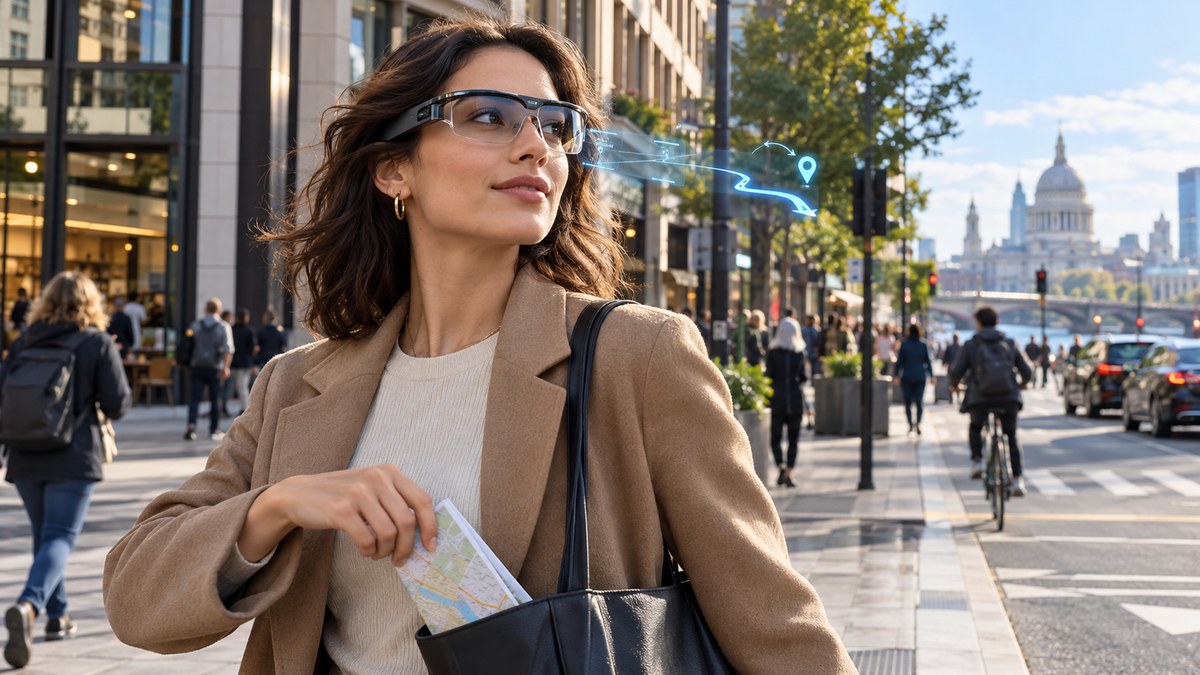
You are standing at a busy intersection in downtown Austin. Your phone is buried in your pocket. Your paper map is crumpled in the trash. Instead, a faint blue arrow hovers in the corner of your vision, projected onto the lens of a pair of lightweight glasses. It tells you to turn left at the taco truck, then walk two blocks north. You have not glanced at a screen in ten minutes. Your eyes stay on the street, on the people, on the life around you. This is not a futuristic dream. This is what smart glasses in 2026 will deliver, and it is why the paper map is about to become a relic.
Smart glasses in 2026 combine augmented reality with lightweight frames and all-day battery life. They overlay turn-by-turn directions directly onto your view of the world. This removes the need to hold a phone or unfold a paper map. Your hands stay free, your eyes stay on the road, and your sense of direction improves because you see the route in context. Paper maps cannot compete with this seamless experience.
What Makes 2026 the Breaking Point for Paper Maps
Paper maps have survived smartphones for nearly twenty years. Hikers still carry them. Some road trippers keep a folded Rand McNally in the glovebox. But smart glasses in 2026 solve the three biggest problems that held earlier wearable navigation back: battery life, display quality, and social awkwardness.
Earlier models like Google Glass felt clunky and drew stares. The battery lasted barely two hours. The display washed out in sunlight. In 2026, those problems are gone. New micro-LED projectors are bright enough to read in direct sun. Battery chemistries have improved enough to last a full day of intermittent use. And the frames look like normal prescription glasses. You can wear them on a coffee run or a business meeting without anyone noticing.
Paper maps require you to stop walking, unfold them, find your location, and then reorient yourself to the street. That process takes thirty seconds each time. Smart glasses do it in real time, with zero hands. That difference adds up fast. Over a day of urban exploring, you save ten to fifteen minutes of map fumbling.
How Smart Glasses in 2026 Actually Guide You
The navigation experience with smart glasses is fundamentally different from using a phone. Here is what happens when you put on a pair:
- You say your destination aloud or tap it on a paired smartwatch. The glasses connect to your phone’s GPS or use their own cellular radio.
- A translucent arrow appears on the lens, anchored to the real world. It hovers above the street you need to take. The arrow changes color when you approach a turn.
- The glasses highlight the name of the cross street in the corner of your vision. You never have to look down.
- If you miss a turn, the glasses vibrate lightly at your temple and recalculate. A new arrow appears within two seconds.
- At the end of the trip, the glasses log your route silently. You can review it later on your phone if you want.
This process keeps your head up and your hands free. That is a massive safety improvement over looking at a phone screen while crossing a busy street.
What You Lose When You Stop Using Paper Maps
Some people worry that smart glasses will weaken navigation skills further. That is a fair concern. Studies show that relying on turn-by-turn audio directions reduces spatial memory. You arrive at your destination without knowing how you got there. But smart glasses in 2026 handle this differently.
Because the directions are visual overlays on the real world, you see the route in context. You see the coffee shop on the corner, the fire hydrant, the red brick building. Your brain builds a spatial map as you walk. The glasses do not replace your senses. They augment them.
Paper maps, by contrast, force you to translate a 2D drawing into a 3D environment. That skill is valuable, but it is not the same as understanding a place. Many people who use paper maps still get lost because they misread the scale or fold the map wrong. Smart glasses remove that translation step entirely.
The Tech That Makes It Possible
The hardware behind smart glasses in 2026 is impressive. Here is a breakdown of the key components and what they do for navigation:
| Component | What It Does | Why It Matters for Navigation |
|---|---|---|
| Micro-LED projector | Puts a bright image on the lens | Works in sunlight, no washed out arrows |
| Eye-tracking sensor | Knows where you are looking | Turns the display off when you look at something else to save battery |
| Bone conduction speaker | Sends audio through your skull | Lets you hear traffic and conversations while still getting turn alerts |
| Edge processor | Runs the navigation app locally | No lag, works even without cell signal |
| 48-hour battery | Powers the whole system | Lasts through a weekend trip without charging |
These components work together to create a navigation experience that feels natural. You are not wearing a computer on your face. You are wearing a tool that disappears into the background.
A Step-by-Step Guide to Your First Smart Glasses Navigation
If you pick up a pair of smart glasses in 2026, here is how to get started with navigation. The process is simpler than setting up a new phone.
- Charge the glasses fully overnight. Most models use a wireless charging case similar to true wireless earbuds.
- Download the companion app on your phone. It walks you through a quick calibration where you look at four dots on the screen.
- Pair the glasses with your phone via Bluetooth. This takes about ten seconds.
- Open the navigation feature in the app. Type or speak your destination.
- Put on the glasses and tap the side of the frame to confirm the route. The first arrow appears immediately.
- Walk normally. The arrows adjust as you move. If you need to check the full route, a quick tap shows a mini map in the corner of the lens.
That is it. No unfolding, no zooming, no holding a phone in your hand.
“The best navigation tool is the one you forget you are using. Smart glasses in 2026 achieve that by putting the information exactly where your eyes already are. There is no cognitive load from switching attention between a map and the street.” — Dr. Elena Marchetti, urban wayfinding researcher at NYU
Why Your Sense of Direction Might Actually Improve
This sounds counterintuitive. How can a device that tells you where to go help you learn to navigate on your own?
The answer lies in how the glasses present information. They do not give you a list of street names. They show you a visual path overlaid on the actual environment. Your brain processes that as a route, not as a set of instructions. Over time, you start to recognize patterns. You notice that the glasses always route you past the same landmark. You learn that the sun sets behind the train station. You build a mental map without trying.
Compare this to a paper map. A paper map shows you everything at once. That is overwhelming for new visitors. Smart glasses show you only what you need, when you need it. That reduces cognitive load and lets you absorb the city at your own pace.
What about Battery Life and Connectivity
The biggest worry about smart glasses in 2026 is what happens when the battery dies or you lose signal. These are valid concerns. Here is how the current generation handles them.
Most smart glasses have a low-power mode that kicks in at 15 percent battery. The display dims and the refresh rate drops. You still get turn arrows, but they update less frequently. At 5 percent, the glasses switch to audio-only navigation using the bone conduction speaker. That buys you another thirty minutes of guidance.
For connectivity, the glasses store a local copy of the map data for the area you are in. They download this when you first set a destination. If you lose cell signal, the glasses continue navigating using the local data and your phone’s GPS chip. They only need a signal to download new routes or traffic updates.
Paper maps do not have batteries, but they also do not tell you when you make a wrong turn. Smart glasses in 2026 offer a better safety net.
Common Mistakes to Avoid with Smart Glasses Navigation
Adopting any new technology comes with a learning curve. Here are the most common pitfalls and how to avoid them.
- Staring at the arrow instead of the street. The arrow is a guide, not a destination. Keep your eyes moving. The glasses are designed to work with your peripheral vision.
- Forgetting to calibrate the eye tracking. If the display feels jittery or turns off too often, run the calibration again. It takes thirty seconds.
- Relying on the glasses in areas with no map data. Rural trails and newly built subdivisions may not have detailed overlays. Keep a backup method for those situations.
- Not cleaning the lenses. Smudges on the lens make the projected image look blurry. Carry a microfiber cloth.
- Ignoring the audio cues. The bone conduction speaker is subtle. If you are in a loud area, you might miss a turn alert. Keep the visual arrow in your field of view.
How to Prepare for the Shift in 2026
You do not need to buy the first pair of smart glasses that hits the market. The technology will improve over the next twelve months. But you can start preparing your habits now.
Practice navigating without looking at your phone. Use audio directions instead of the visual map. Train your brain to follow cues without staring at a screen. This will make the transition to smart glasses feel natural.
You can also start paying more attention to urban landmarks. Notice the shape of buildings, the direction of shadows, the names of cross streets. These are the same cues that smart glasses will highlight. Building this awareness now will make you a better navigator with or without the glasses.
For a deeper look at sharpening your natural orientation, read our guide on mastering urban navigation techniques without using a map. It covers the mental skills that complement wearable tech.
What the Next Five Years Look Like
Smart glasses in 2026 are not the end of the story. They are the beginning of a new relationship with navigation. Within three years, the glasses will likely include live traffic prediction that reroutes you before you hit a jam. They might show restaurant reviews floating above the storefronts you pass. They could even guide you to a friend who is standing in a crowd by highlighting their location.
Paper maps will still exist for collectors and emergency kits. But for everyday navigation, they will go the way of the phone book. You will keep a folded map in your car for peace of mind, but you will never open it.
The Real Reason Paper Maps Are Finally Done
Paper maps survived because they were reliable. They never ran out of battery. They never lost signal. They could be dropped in a puddle and still work. Smart glasses in 2026 match that reliability while adding features that paper simply cannot offer.
A paper map cannot show you where your friend is standing. It cannot tell you that the coffee shop you are looking for is on the second floor. It cannot vibrate to get your attention when you miss a turn. These are not gimmicks. They are practical improvements that save time and reduce frustration.
The paper map was a brilliant tool for its era. That era is ending. Smart glasses in 2026 will provide a better experience in every situation that matters for urban navigation.
Your Next Step
If you are curious about trying smart glasses for navigation, wait until the fall of 2026 when the second generation of models launches. The first generation will have bugs. The second generation will be polished. In the meantime, practice navigating with your eyes up and your phone in your pocket. Build the habits that will make smart glasses feel like a natural extension of how you already move through the world.
The paper map is not going to disappear overnight. But by the end of 2026, you will reach for it less and less. And one day, you will realize you have not unfolded one in months. That is when you will know the shift is complete.