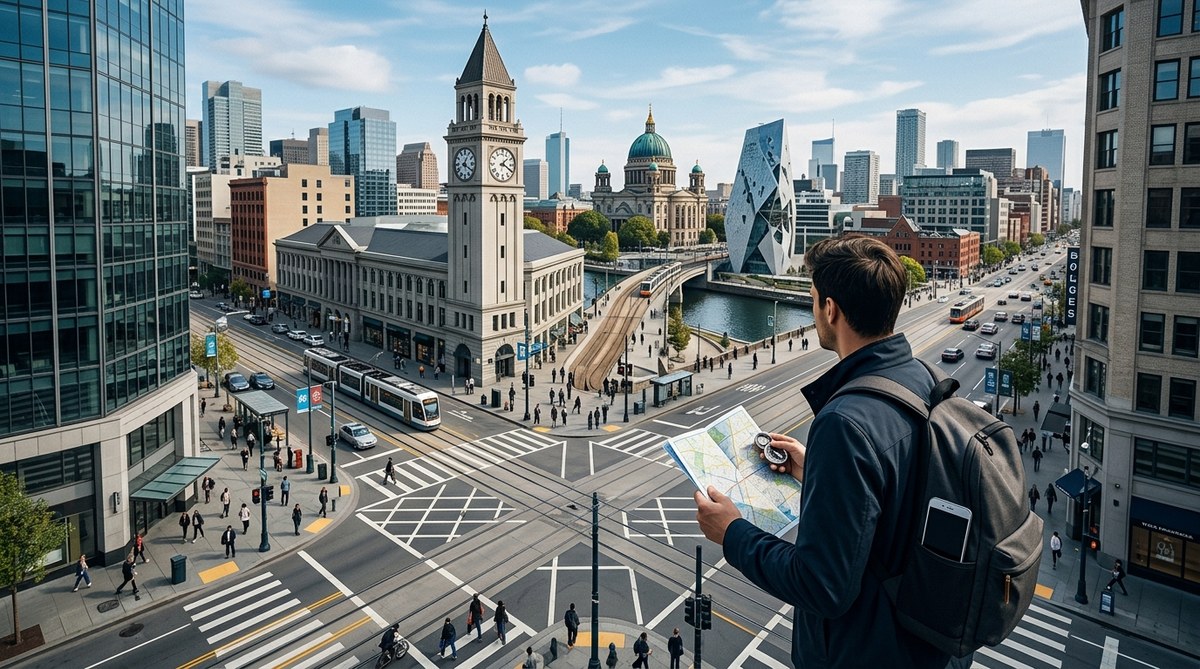
Your phone pings with a new route. You follow the blue line blindly. Then the signal drops. You are in a part of town you do not recognize, and the battery is at 5%. This scenario plays out every day in cities across the United States. GPS apps are incredible tools, but they have limits. They hide features, drain your spatial awareness, and sometimes lead you into dead ends. The real skill is knowing what your device does not tell you. These urban navigation secrets will help you move through any city with confidence, even when your screen goes dark.
Your GPS is a tool, not a guide. This article reveals eight hidden navigation secrets that most apps keep to themselves. You will learn how to read city architecture, use the sun for orientation, interpret street numbering systems, spot false GPS data, and build a mental map that works offline. Master these skills to navigate any urban environment safely and efficiently in 2026.
Why Your GPS Keeps These Secrets Hidden
Navigation apps want you to stay inside their ecosystem. They push features like live traffic rerouting and augmented reality directions. But they rarely teach you how to navigate without them. Why? Because an independent user is less likely to rely on their paid subscription or data collection.
Think about the last time your GPS sent you through a construction zone or a one-way street the wrong direction. That happened because the map data was outdated or the algorithm optimized for time, not safety. The secrets below help you catch those errors before they cost you.
Secret 1: The City Grid Is Your Friend
Most U.S. cities follow a grid pattern. Streets run north-south, avenues run east-west. If you learn the naming convention, you can estimate your location without a single tap.
Look at Manhattan. Streets go east-west. Avenues go north-south. If you know you are on 42nd Street and need to reach 57th Street, you know you must walk 15 blocks north. Each block is roughly a minute of walking. That is a simple calculation your GPS never shows you.
Check your own city. Does the numbering increase in one direction? In Denver, street numbers rise as you move east from the mountains. In Chicago, Madison Street divides north and south. Once you internalize these patterns, you can navigate entire neighborhoods without looking at your phone.
Secret 2: Read the Sun and Shadows
Your GPS does not care about the sun. But you should. The sun rises in the east and sets in the west. At noon in the United States, the sun sits due south (because we are north of the Tropic of Cancer). Use this to find cardinal directions.
Here is a practical process to orient yourself using shadows:
- Find a straight stick or a vertical pole. A parking meter works well.
- Mark the tip of its shadow on the ground with a pebble or a piece of trash.
- Wait 15 minutes. Mark the new position of the shadow tip.
- Draw a straight line between the two marks. The first mark points west. The second points east.
- Stand with the first mark on your left. You are now facing north.
This method works anywhere in the continental U.S. on a sunny day. It is free, requires no batteries, and gives you a true bearing. Your GPS cannot do that when the satellites are down.
Secret 3: Street Numbering Systems Tell You Everything
Many cities use a coordinate-based addressing system. In Salt Lake City, addresses like 300 East and 400 South tell you exactly how many blocks you are from the city center. The central point is usually the intersection of Main Street and a major cross street.
Look for these clues:
– Street numbers that increase in one direction
– A clear dividing line (like a river, a major boulevard, or a railroad track)
– Even numbers on one side, odd on the other
If you see an address like 1245 Elm Street, the first two digits (12) often indicate the cross street. So 1245 Elm is near 12th Street. This trick works in dozens of U.S. cities, including Phoenix, Dallas, and Washington D.C.
Secret 4: Landmarks Are Better Than Street Names
Your GPS shows you street names. Your brain remembers landmarks. A 2024 study from the University of California found that people who navigated using landmarks made 30% fewer wrong turns than those who relied on street names alone.
Build a personal landmark inventory. On your next walk, note:
– A distinctive mural
– A coffee shop with a red awning
– A fire hydrant shaped like a dog
– A statue in a park
These are your anchor points. When you need to find your way back, you do not need a street address. You just need to find the red awning, then turn left.
Secret 5: Offline Maps Are Not Dead
Most people think offline maps are just static images. That is not true. Apps like Google Maps and Maps.me let you download entire regions for offline use. The data includes roads, points of interest, and public transit routes.
But here is the secret your GPS does not advertise: you can preload these maps for areas you plan to visit. Do it at home on Wi-Fi. Then, when you are underground in a subway or in a rural area with no signal, you still have full navigation.
| Technique | GPS Reliance | Offline Skill |
|---|---|---|
| Grid reading | Low | High |
| Sun orientation | None | Very High |
| Landmark memory | Low | High |
| Offline maps | Medium | Medium |
| Street numbering | Low | High |
The table shows that the most reliable navigation skills require zero battery power.
Secret 6: Your Phone Has a Compass
Every modern smartphone contains a magnetometer. That is a sensor that detects magnetic fields. It is why your phone knows which way is up when you rotate it. But most navigation apps hide this sensor.
Open your phone’s built-in compass app (usually found in the utilities folder or under “Compass” in the settings). Hold your phone flat. The needle points north. Now you can orient your physical map or simply know which direction you are walking.
This is different from GPS direction. GPS calculates your heading based on movement. The compass tells you true magnetic north instantly, without moving a step.
Secret 7: Public Transit Routes Are Navigation Backbones
Bus and train lines often follow major streets. If you know the route number, you know the general corridor. In New York, the M15 bus runs up and down First Avenue and Second Avenue. If you see an M15 bus, you know you are near one of those two avenues.
Use this trick:
– Learn the major bus routes in your city.
– Note the direction they travel (northbound, southbound, eastbound, westbound).
– When you get lost, find a bus stop. Read the route map. It gives you a free orientation.
Your GPS will not tell you that. It wants you to type in a destination. But the bus map is a public resource that costs nothing and works offline.
Secret 8: The 3-Second Rule for Checking Your Surroundings
Most GPS users stare at the screen for 8 to 12 seconds at a time. That is enough time to walk into a pole, miss a turn, or get disoriented. Instead, use the 3-second rule.
Look at your GPS for three seconds. Then look up and scan the environment for three seconds. Repeat. This keeps your eyes on the real world while still giving you directional cues.
Here is a checklist to scan during those three seconds:
– Are there any visible landmarks?
– What is the sun doing?
– Is the street numbering increasing or decreasing?
– Do you see a bus or train that confirms your direction?
Your GPS wants your eyes on the screen. The secret is to break that habit.
What Your GPS Will Never Teach You
“The best navigators are those who can read the land, not just the map.” — John D. Rockefeller, explorer and founder of the American Geographical Society
This quote from a true wayfinding expert reminds us that navigation is a human skill. Technology is a crutch. When the crutch breaks, you still need to walk.
Your GPS will never teach you how to read the age of a building to guess the neighborhood. It will not show you how to use the wind direction to sense an approaching storm. It will not tell you that the smell of baking bread means you are near a bakery that has been there for 50 years.
These are the urban navigation secrets that GPS does not want you to know. They come from paying attention, not from staring at a screen.
How to Practice These Skills Tomorrow
You do not need a special trip to practice. Start on your next commute.
- Leave your GPS off for the first five blocks. Try to navigate using landmarks and street numbers.
- Check your phone compass once. See if your mental map matches the actual direction.
- If you get stuck, use a bus stop map or a storefront address to reorient.
- After you arrive, note one new landmark you could use next time.
Do this for one week. You will notice your spatial awareness improving. You will feel less anxious when your phone battery dies. You will become a more confident urban explorer.
For more ways to build these skills, check out these practical techniques for map-free city navigation. They pair well with the secrets above.
Your City Is a Living Map
Every city has a rhythm. The flow of traffic, the pattern of shadows, the placement of bus stops. These are all clues. Your GPS reduces them to a flat blue line. But you can see the full picture.
Next time you step outside, try looking up instead of down. Notice the architecture. Feel the sun on your face. Listen to the sounds of the street. That is real navigation. That is the secret your GPS does not want you to know.
Start small. Pick one secret from this list and use it today. Tomorrow, add another. By the end of the month, you will navigate your city like a local, whether your phone is on or off. And that is a skill no app can ever take away.